Here is how to check your Ace Public Cloud account email history.
Step 1: Log into your customer account.
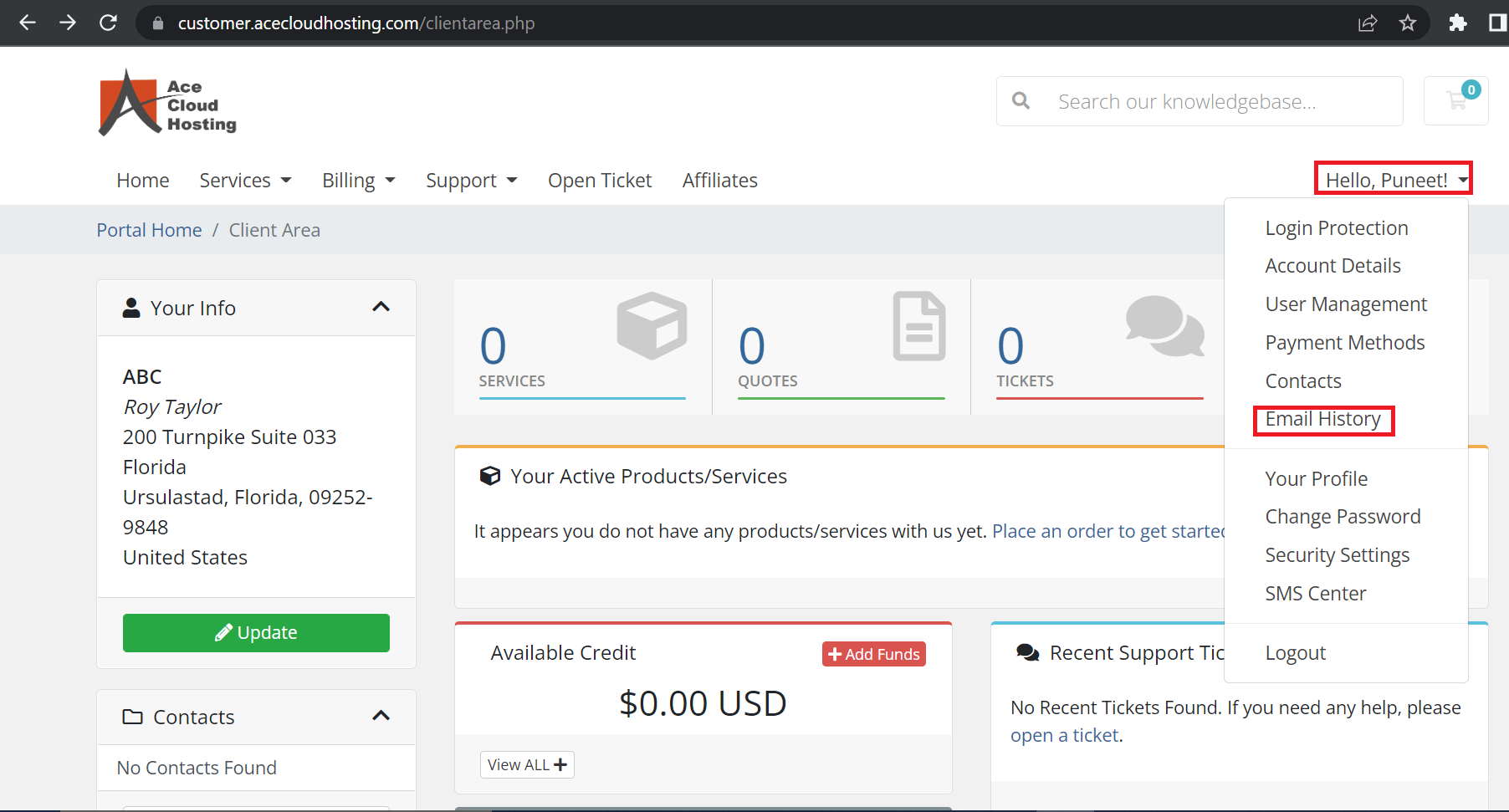
Step 2: Select the Profile option and choose Email History.
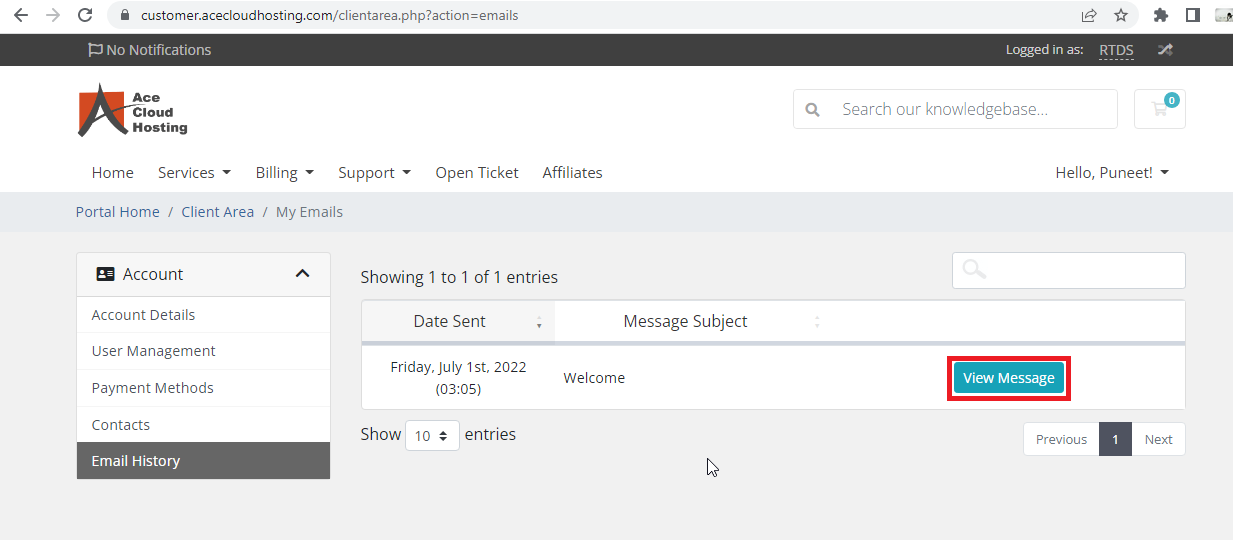
Step 3: From the available list, you can click on View Message to view any email.


Here is how to check your Ace Public Cloud account email history.
Step 1: Log into your customer account.
Step 2: Select the Profile option and choose Email History.
Step 3: From the available list, you can click on View Message to view any email.
There are two ways to select regions in the public cloud. (A) You can directly select a region...
Learn how to change your Ace Public Cloud portal password step-by-step. a. Forgotten your...
Let's see how can you change the Timezone and language of your account: Step 1: Login to your...
Learn how to set up and enable two-factor authentication (2FA) on Ace Public Cloud. Step 1:...
To change your OpenStack password, follow the below steps: Step 1: Login to your account....