
Let's see how you can attach a volume:
Step 1: Login with your username and password.

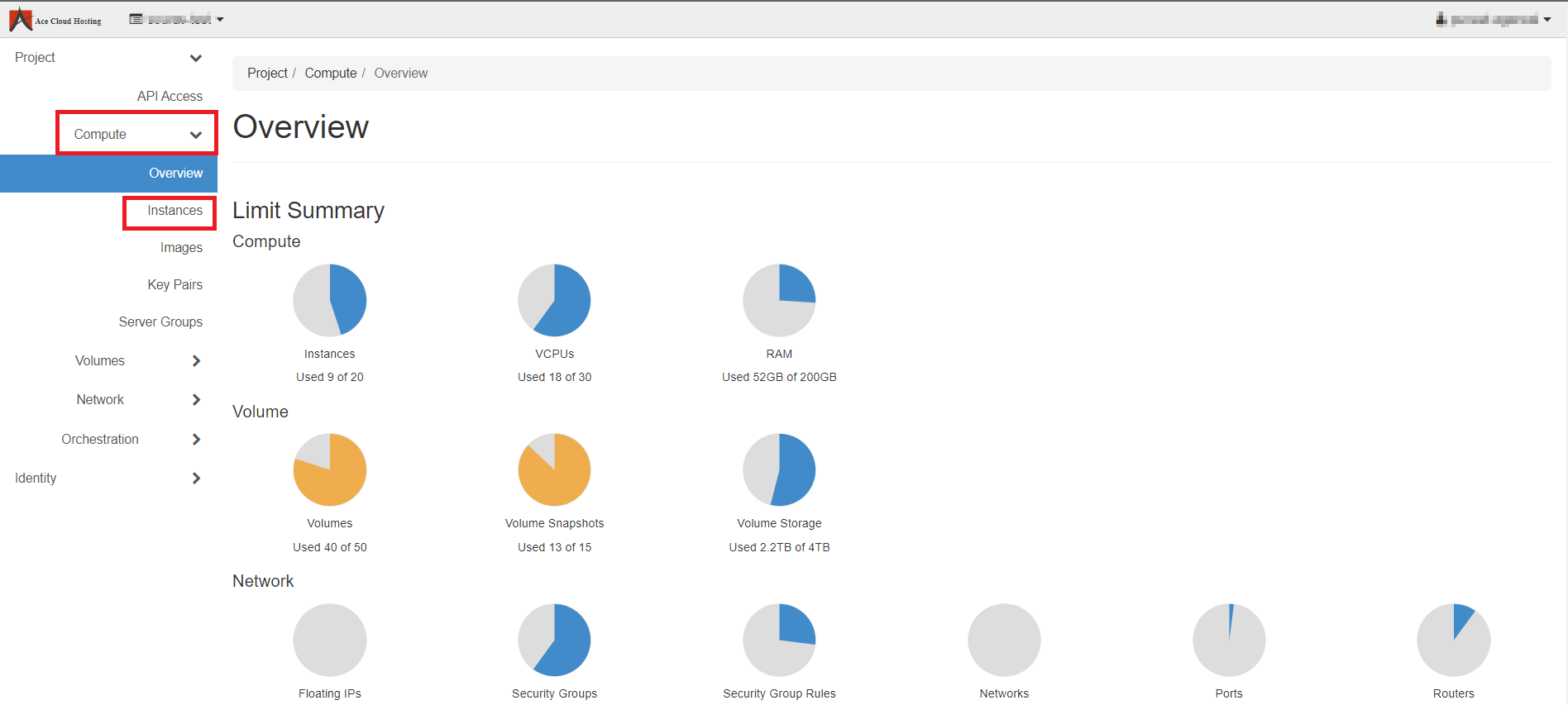
Step 2: From the left-hand-side menu, select Compute and then Select Instances.
Step 3: Select the Instance from the list and select Create Snapshot drop-down.
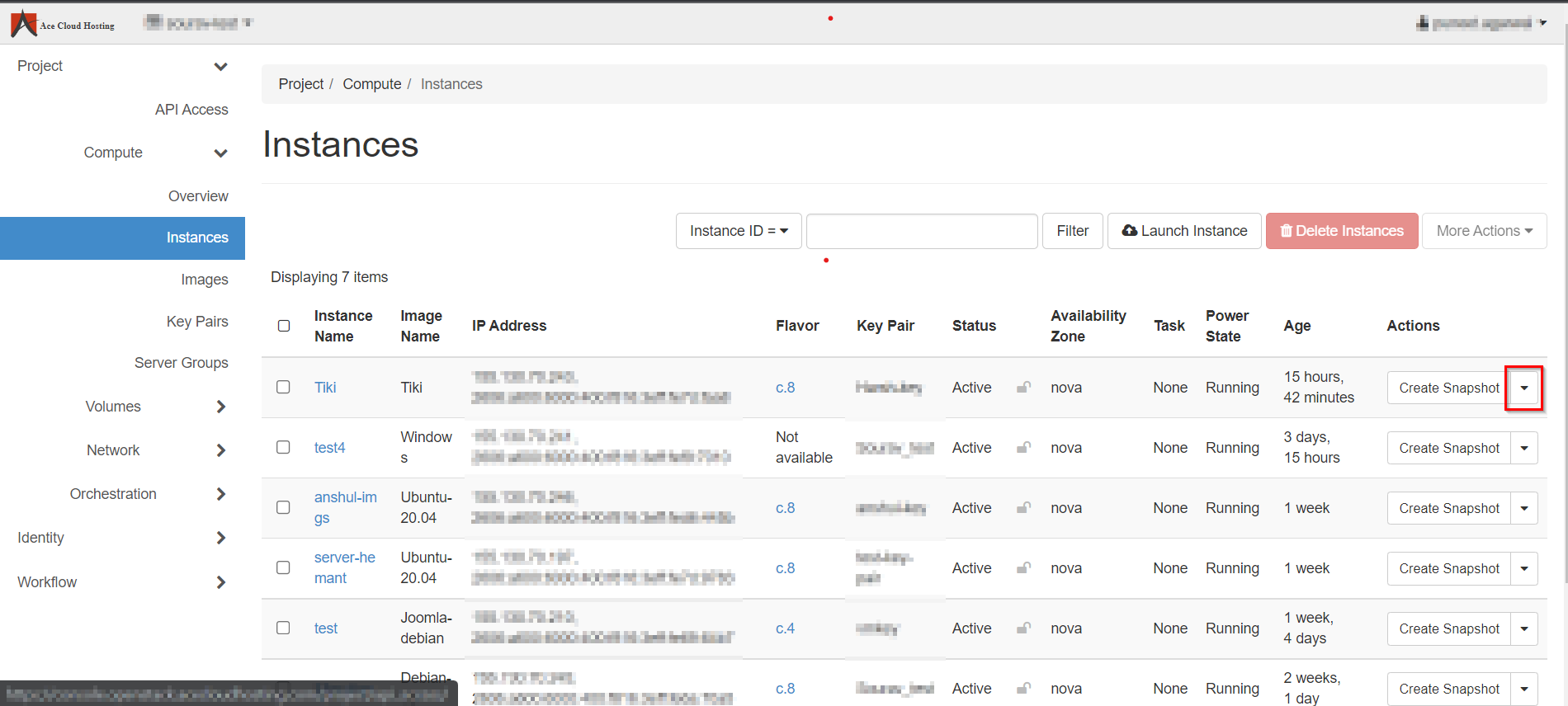
Note: You can Attach Volume only to one instance as displayed in the screenshot.
Step 4: Choose Attach Volume from the list.

Step 5: Select Volume ID, choose a volume from the list and hit Attach Volume.
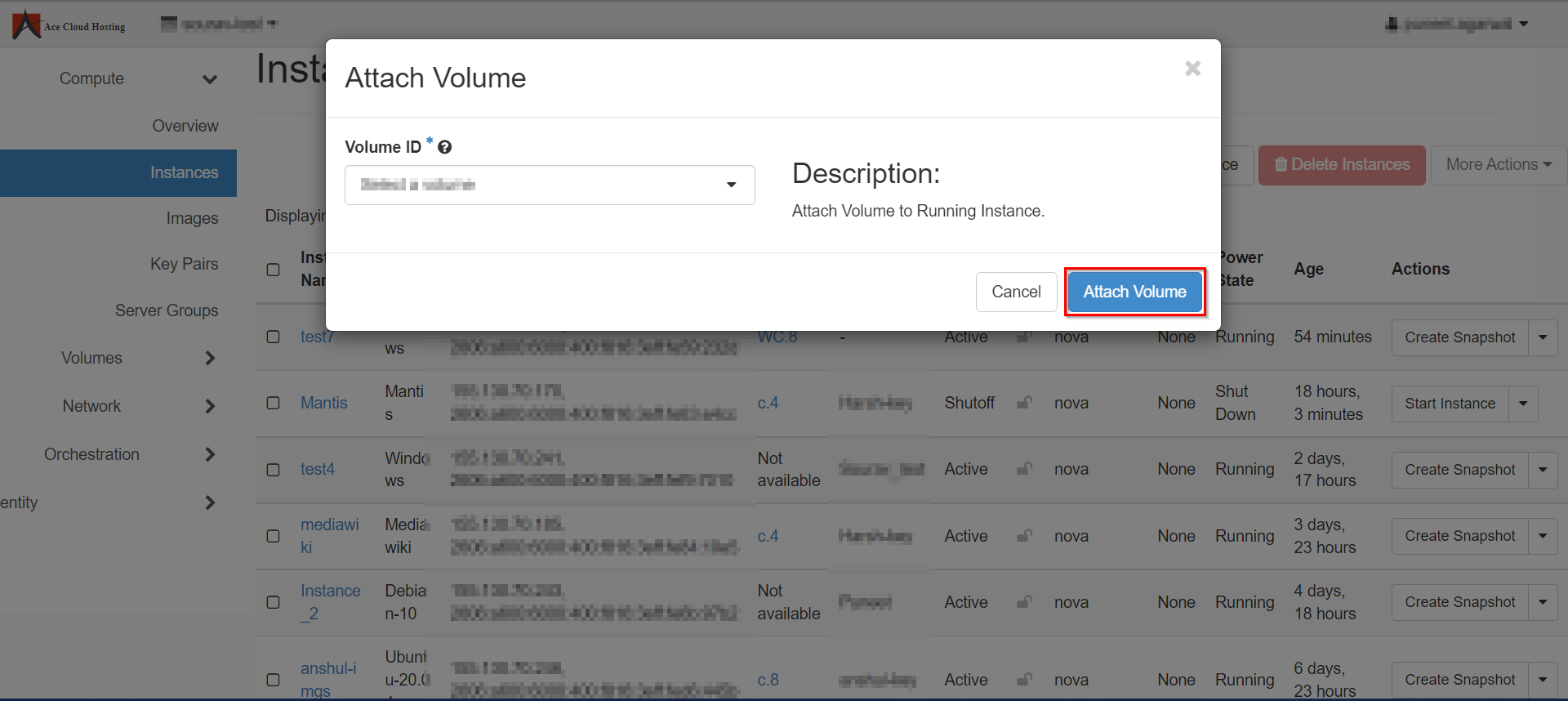
Note: You can attach only that volume that has been created already.