
Let's see how can we assign a floating IP:
Step 1: Login with your username and password.

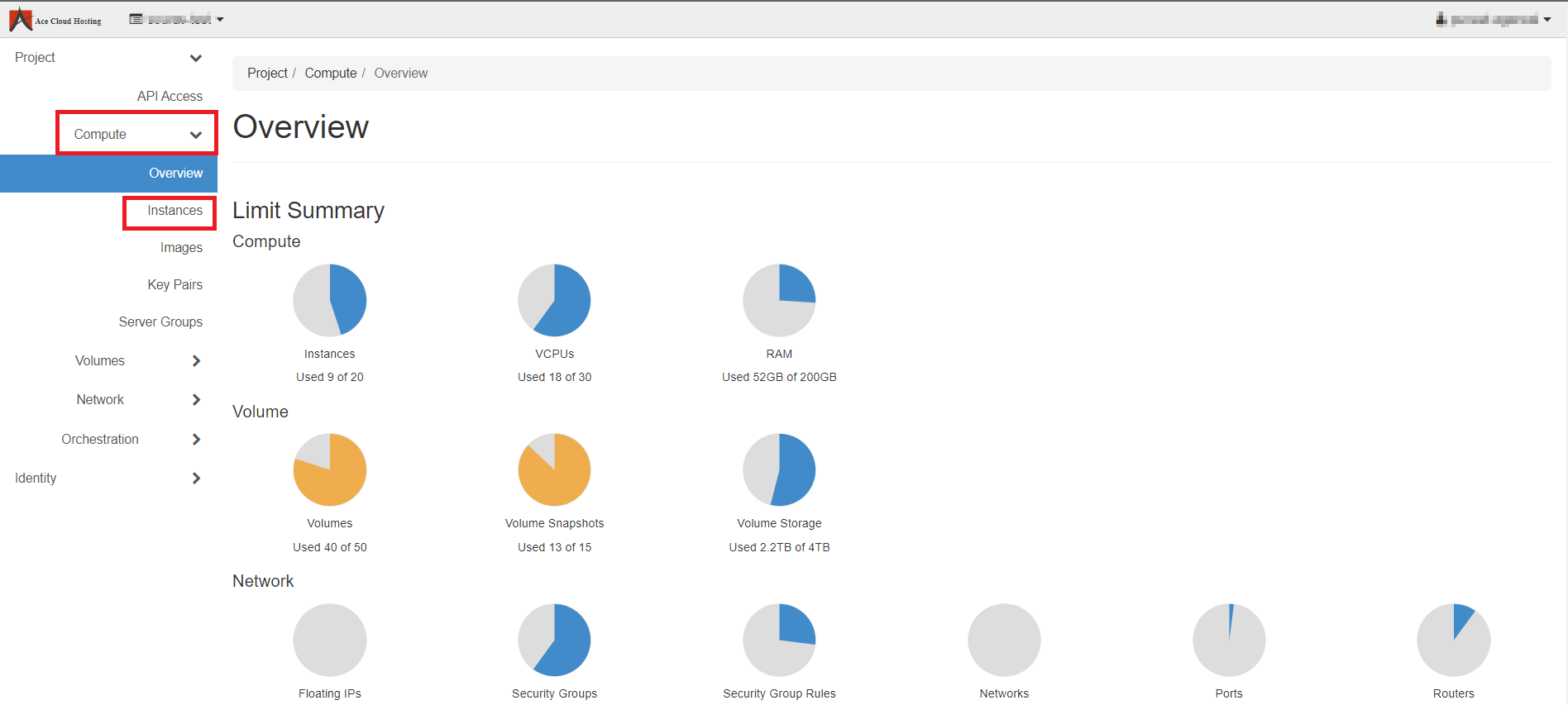
Step 2: From the left navigation, select Compute and then Select Instances.
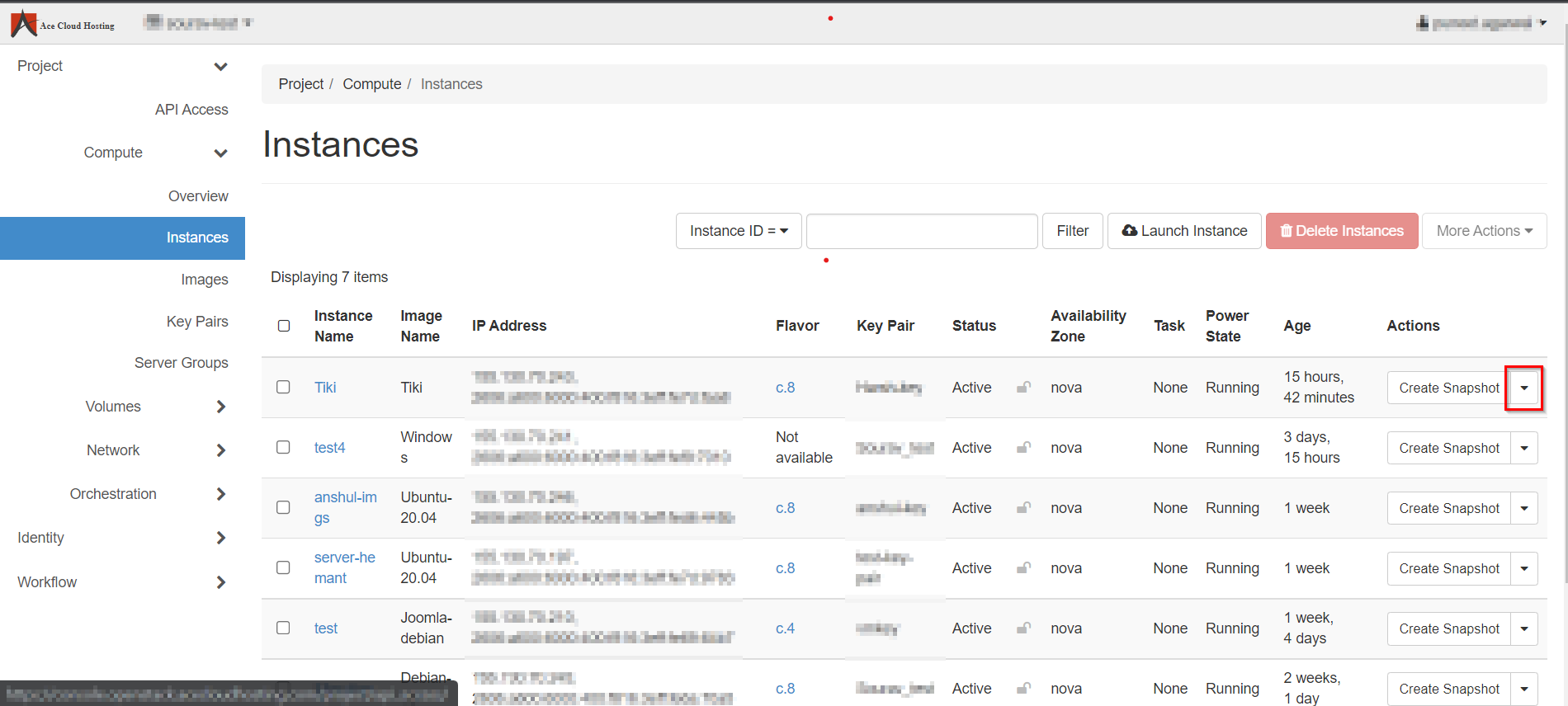
Step 3: Select the Instance from the list and select Create Snapshot drop-down.
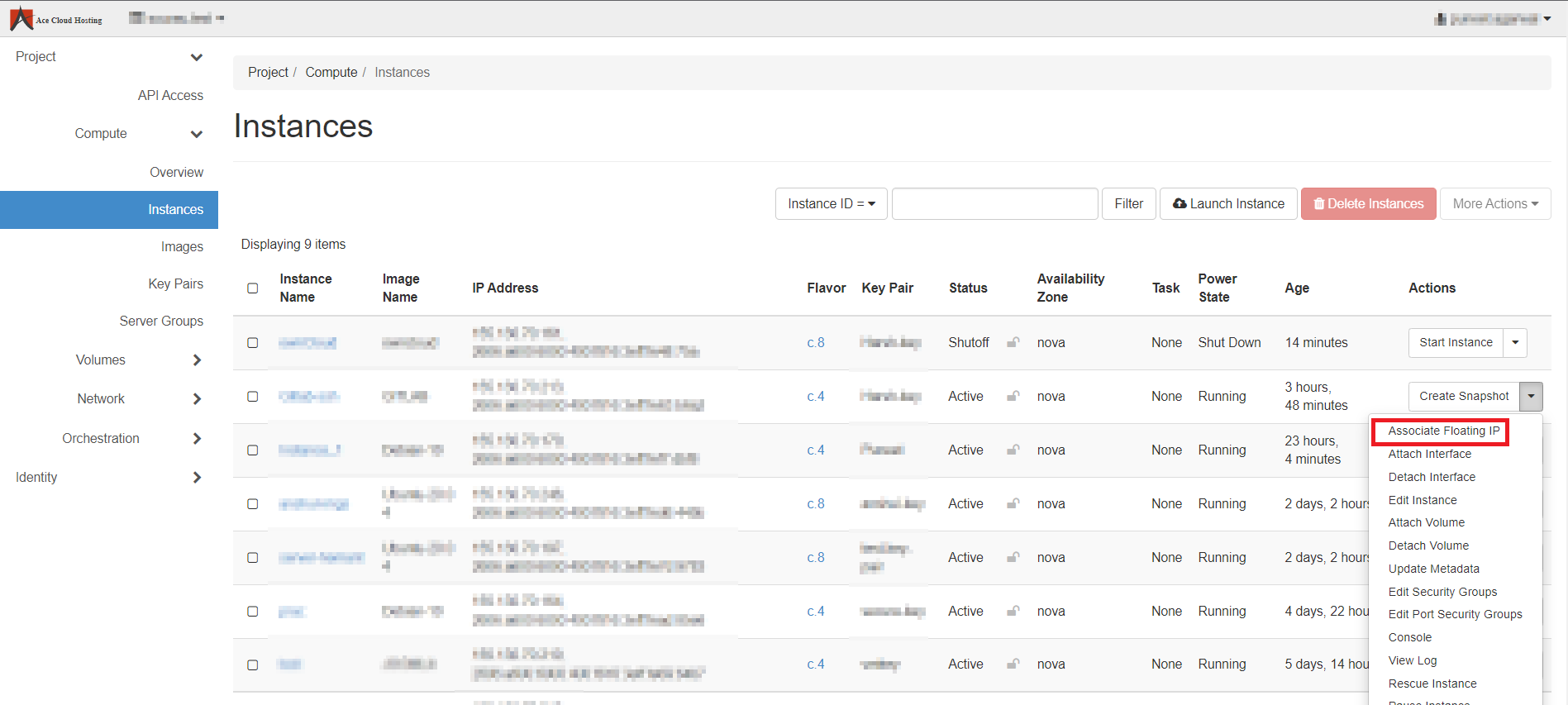
Step 4: Choose Associate Floating IP from the list.
Step 5: Select an IP address and a Port then hit Associate.

Note: You will get a success message when IP gets associated successfully.