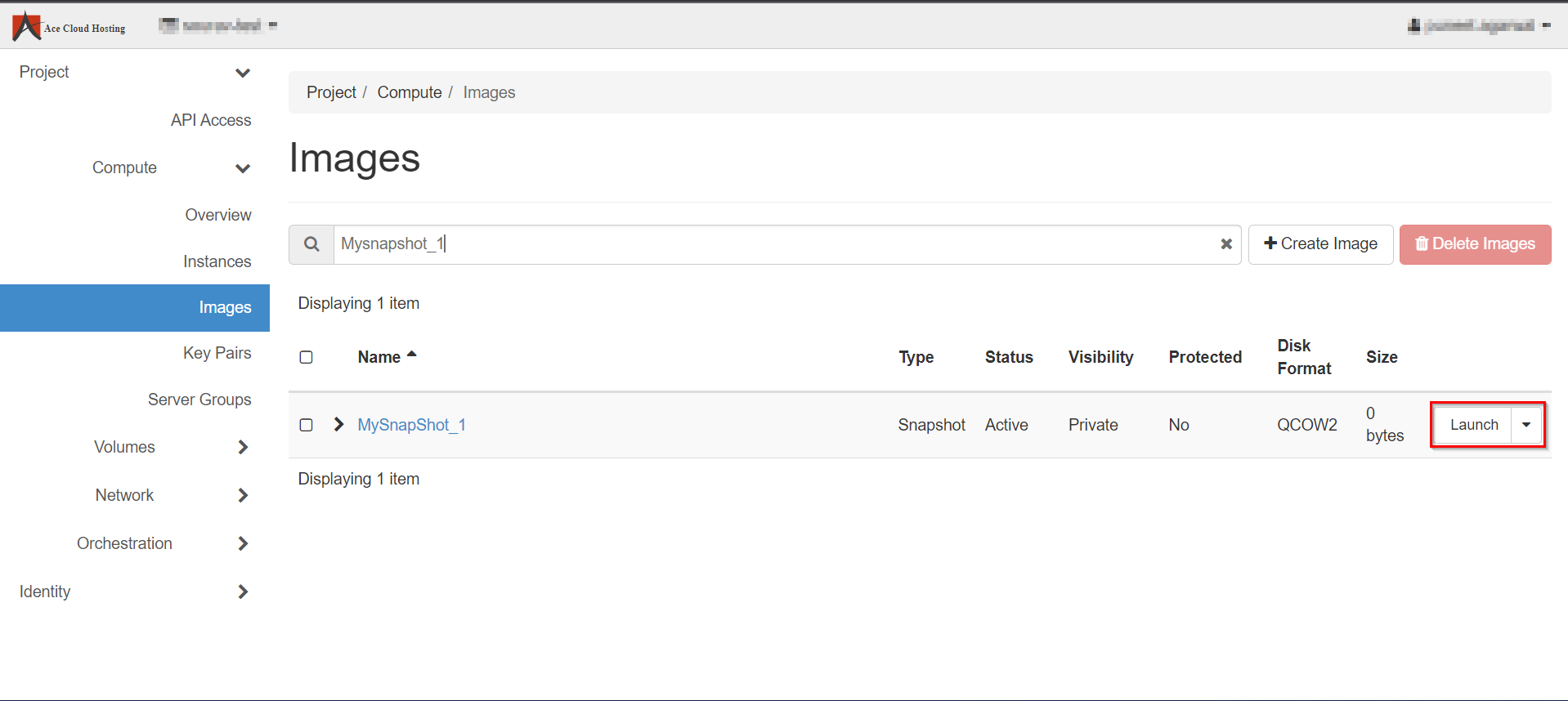
A snapshot is an image that preserves the disk state of a running instance.
Let's see how we can configure a backup of the VM:
Step 1: Login with your username and password.

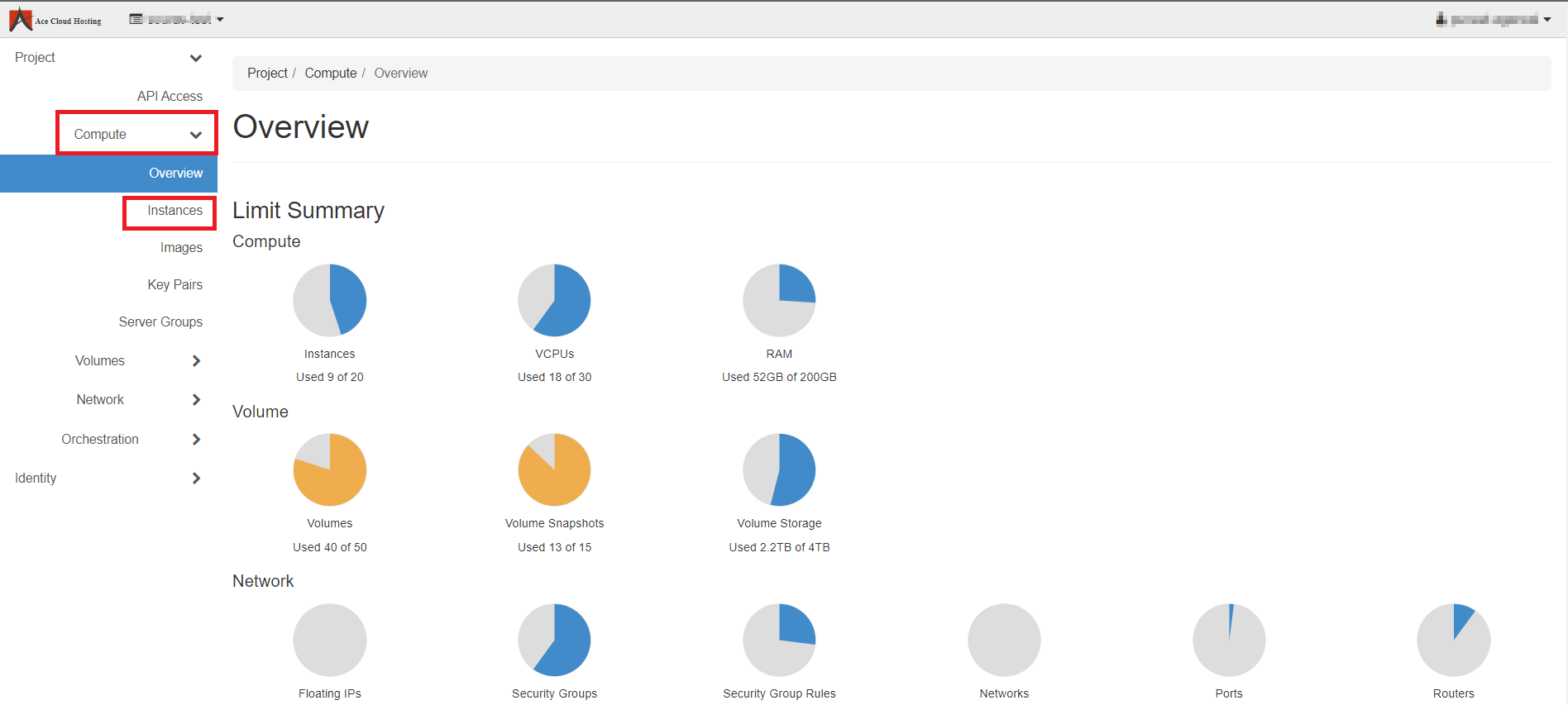
Step 2: From the left navigation panel, select Compute and then select Instances.
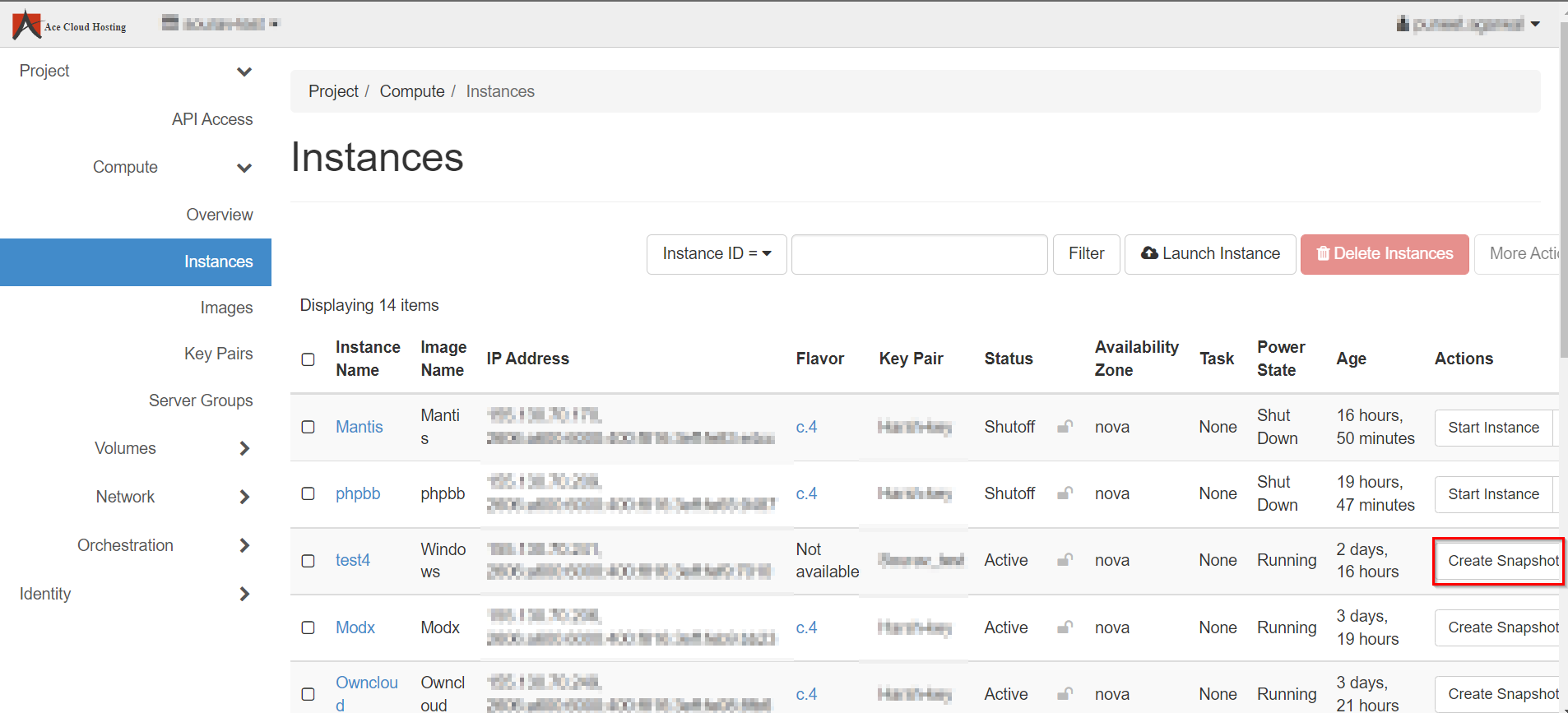
Step 3: Select the Instance from the list and click on Create Snapshot.
Step 4: Enter the Snapshot Name and hit Create Snapshot.
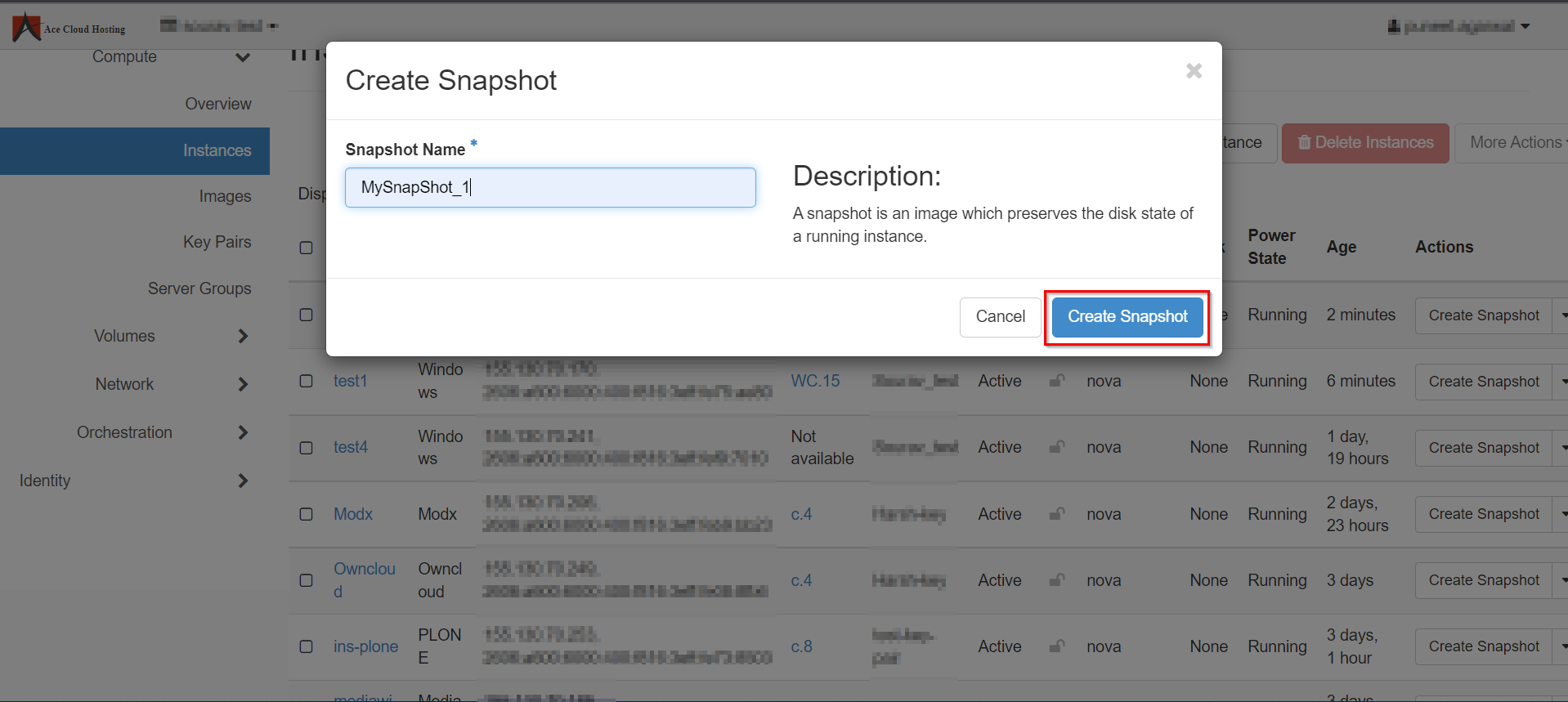
Note: You will get a message like "Success: Snapshot "SnapShot_1" created for instance "test."
Step 5: Now, you can search for your backup by entering the snapshot name, and you can click on Launch to access it.